
Zero priced stock items ticked as Instruction do not display on the Stock Item Sales report (and even if ticked for Stock Control, their Stock Level is not incremented/decremented). If you want these items to display and to have their Stock Level tracked, either untick Instruction, or enter QTY in the Notes field:
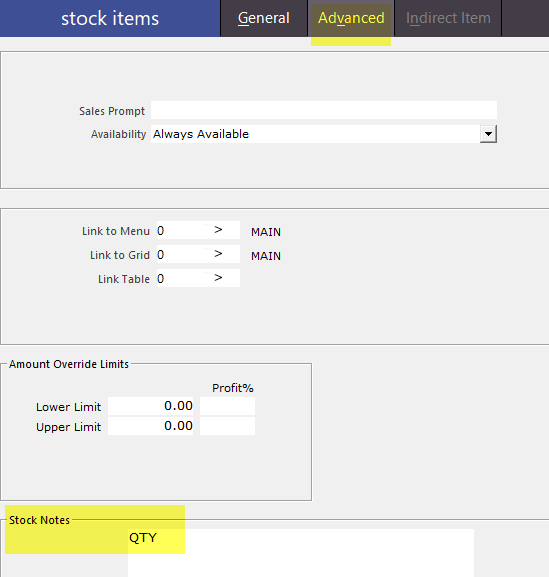
Any future sales will be included on the report and will affect Stock Levels.
If QTY is not added, if the stock item is an indirect item, it will not decrement its parent item. Adding QTY resolves this.
The same is true if you want to stop a zero priced item from displaying. If Instruction is ticked, any future sales will be hidden. Past sales will not be affected.
Alternative (provided by Brad):
If the Stock Notes field is required for actual Stock Notes, another way to accomplish this without using QTY is to set the sale price of the Instruction Item to $0.001.
For either solution above, Range Programming can be used to set these values for a batch of Stock Items that require it.