
Problem:
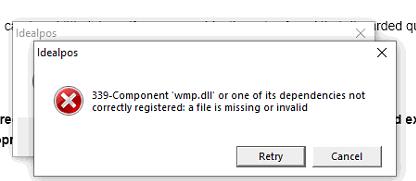
When starting Idealpos, the following error displays:
339-Component 'wmp.dll' or one of its dependencies not correctly registered: a file is missing or invalid
Fix 1:
From an elevated command prompt, run the following:
dism /online /add-capability /capabilityname:Media.WindowsMediaPlayer~~~~0.0.12.0
Fix 2:
Install Windows Media Player.
For Windows 10 Pro (22H2 - Win Ver 19045.3208) - install 12.0.19041.1266

Even though Windows Media Player will open, it isn't listed in the Windows Features on or off.
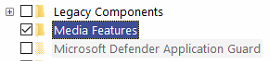
Enable Windows Media Player through Settings - Apps - Optional Features
This can also be opened from the following link https://support.microsoft.com/en-us/windows/get-windows-media-player-81718e0d-cfce-25b1-aee3-94596b658287
Restart PC - The Windows Media Player feature should be checked.
In windows 10 pro at one site Windows Media Player wasn't listed in Windows Features On or Off and also it wasn't listed under Settings > Apps so we needed to install it by running command from elevated command prompt. Please visit below link for more info.
Restore Missing Media Feature Pack/WMP in Windows 10 and 11 » Winhelponline
For Windows XP, use Media Player 10:
https://drive.google.com/open?id=0B3EYFfJRM0IxQlRrVU9MeE02LVE
For POSReady 2009, use Media Player 11:
https://drive.google.com/open?id=0B3EYFfJRM0IxTkk4M1g0bXhfbVU
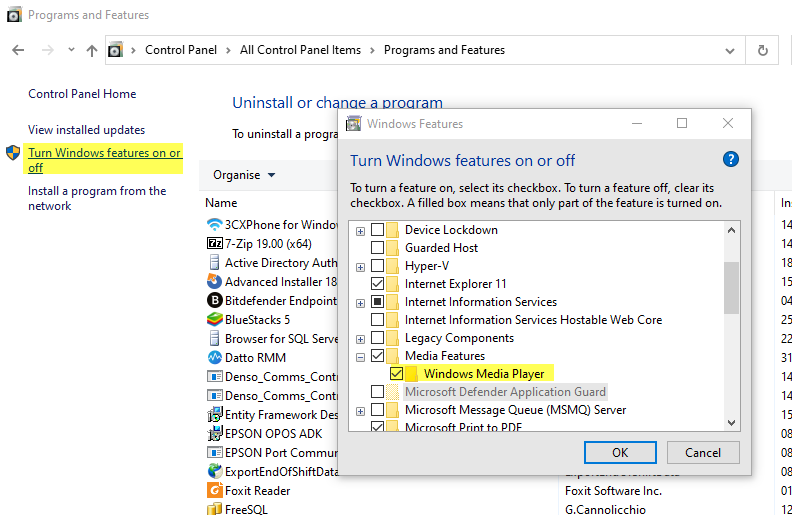
Media Player is included with Windows 7 and higher and can be enabled in Turn Windows features on or off:
For Windows Server 2008 and Windows Server 2012 (and possibly other Windows Server versions):
Enable Media Player in Programs and Features > Turn Windows Features on or off > User Interface and Infrastructure > select Desktop Experience. More detailed instructions for this fix are here:
https://help.idealpos.co/windows-server-2012-/-2008-r2-wmp.dll-error-when-loading-pos-home-screen