
Connection to GEO Vision
Preparation – you will need a GV USB Dongle
Download link for GV-POS Sender
http://www.geovision.com.tw/product/GV-POS%20Text%20Sender
Windows 10/11
Install new printer -> Add Local Printer or network with manual settings -> next
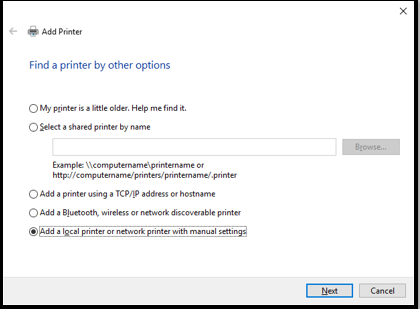
Click on Local Port -> click Next -> Enter Path of the local “C:\POS\pos” you can even put shared folder from network
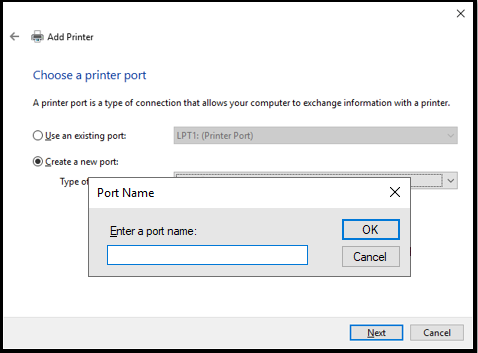
Install Printer as generic text and share it for use with IdealPOS
Geovision Config
Install Geovision on the local Machine and run

Run application with the above icon
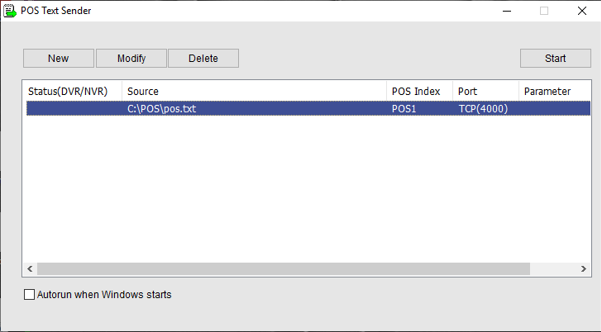
Click new -> fill in the details file Path can be where you have saved the file while making the printer
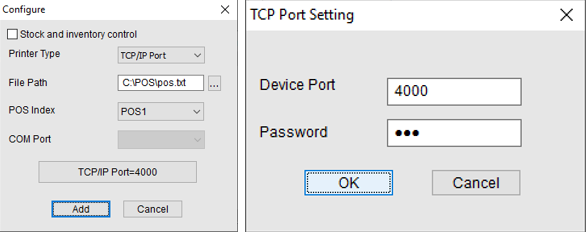
POS index = POS machine No, TCP/IP port default as” 4000”, Password I have set to “123”