
This site sells on consignment. They need to track the sales so that they can reimburse the item maker, so the debit needs to post to sales but the full credit including GST needs to post to a Xero Liability account. Here's how:
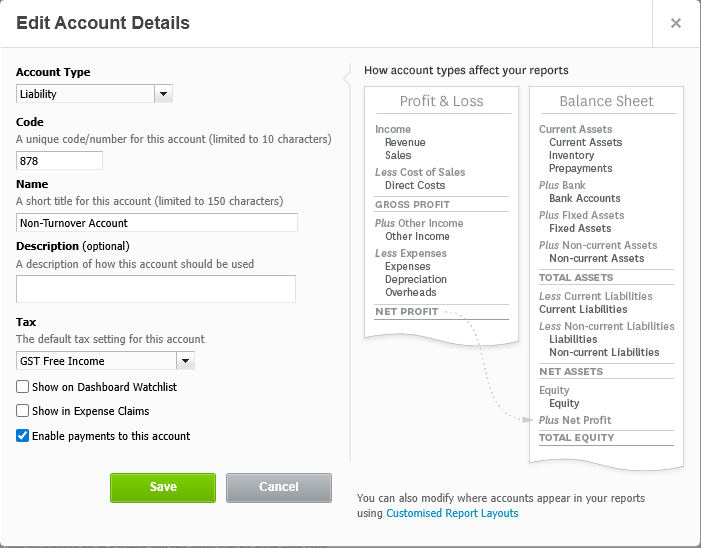
1. In Xero, create or use a Liability account ticked to Enable Payments:
2. Create a Sales Category (called Non-Turnover, for example).
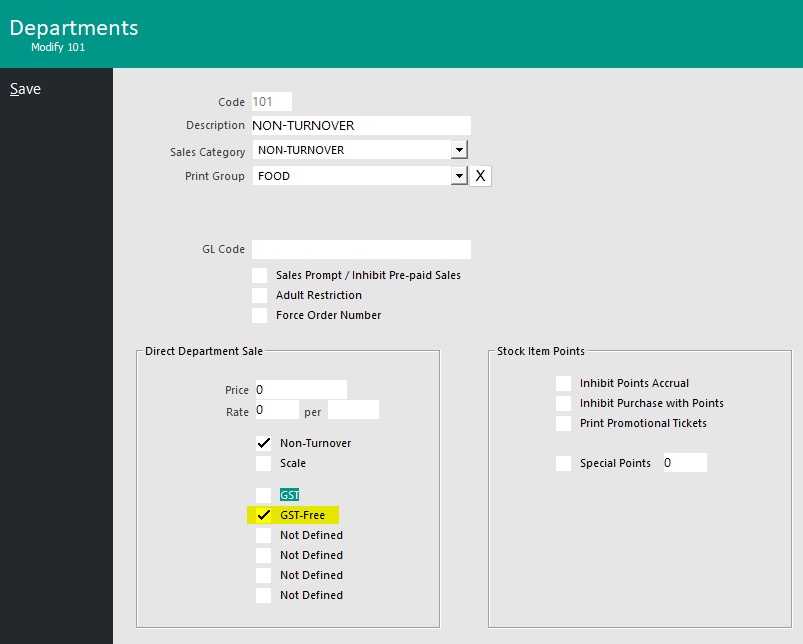
3. Create a GST-Free Department (called Non-Turnover, for example) which is ticked as Non-Turnover and is linked to the Sales Category called Non-Turnover.
4. Create a Stock Item ticked as GST Free, linked to Department 'Non-Turnover'.
5. In Global Options > Accounting, map the Liability account in Step 1 to the Non-Turnover Sales Category:
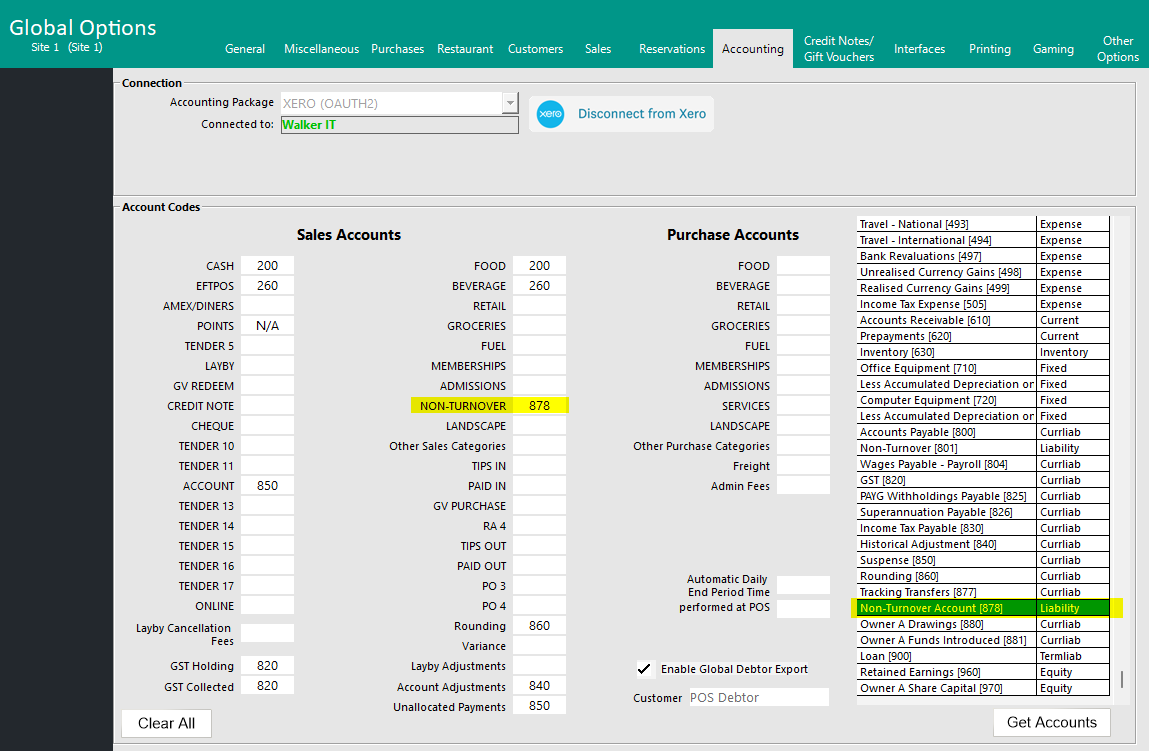
Selling the Stock Item for $40 created a $40 debit to sales and a $40 credit to the Liability account from step 1.