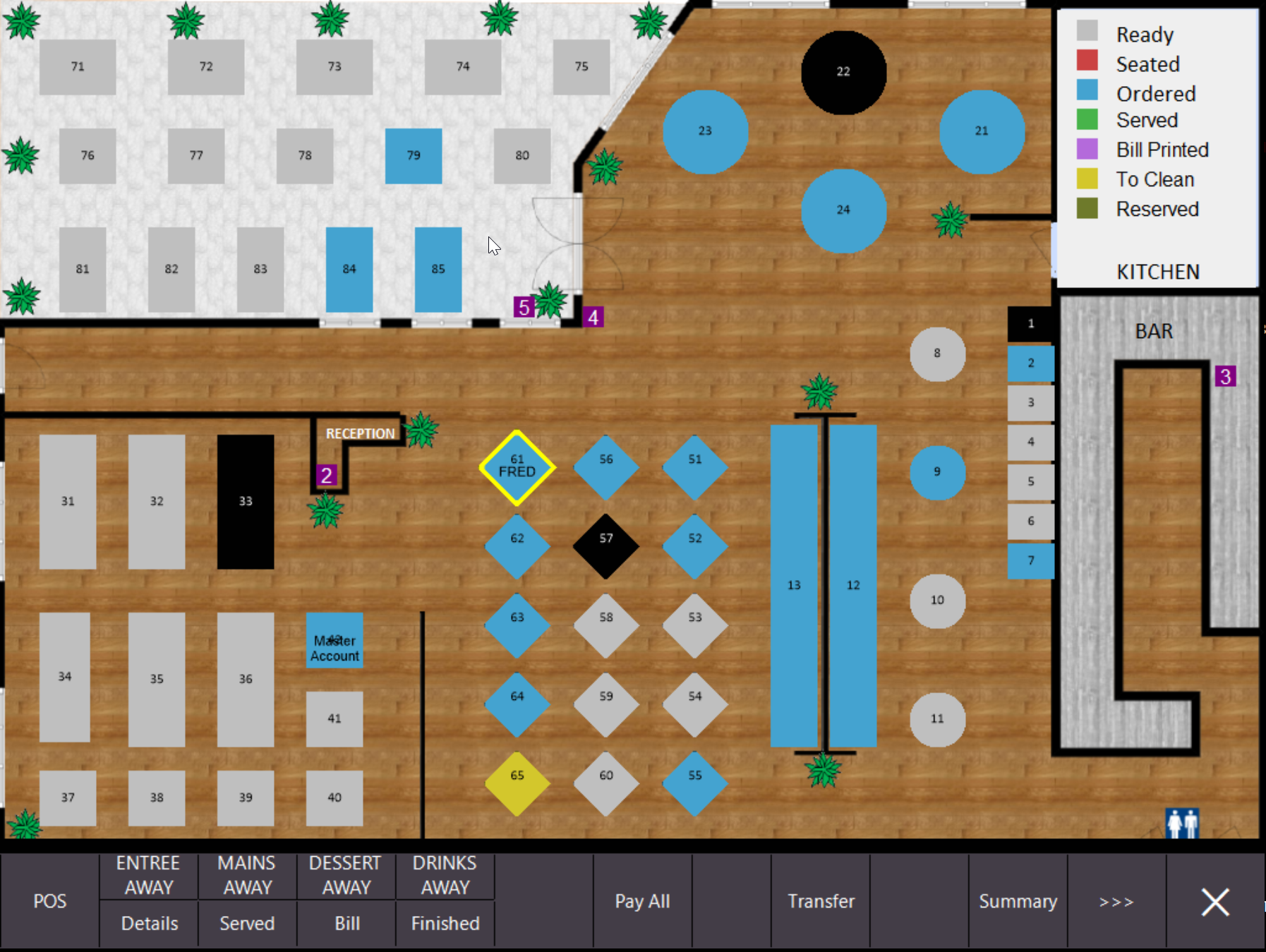
How to display Names on Tables
This function is useful to add customers names to tables temporarily.
Setup:
1. Go to Setup > Yes/No Options
2. Tick 'Show Customer Names on Tables' option
NOTE: You can Prompt for a Name by enabling the restaurant Yes/No Option "Prompt for Name". However this option does not work if you have the 'Inhibit Occupy Table Function' ticked.
How it works:
1. Occupy a table
2. Go to Table Details & locate the Name function
3. Once a name is added it will display in the top left corner next to the covers & Avg check spend in brackets.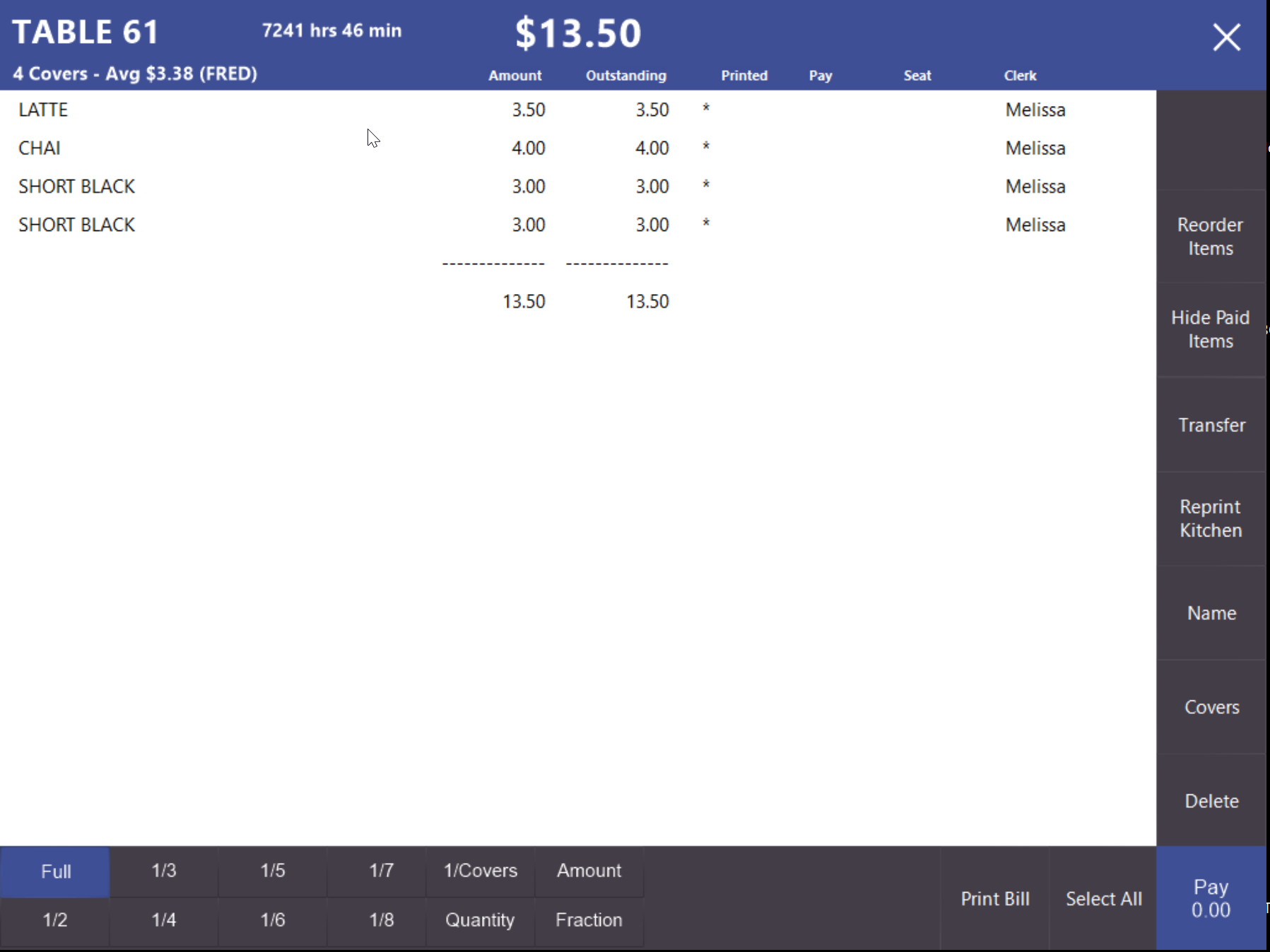
4. You will also see the name on the table (e.g. FRED)