
Use this solution when:
-
A Customer Account invoice has already been paid
-
The payment was processed using the wrong tender type
-
The invoice amount is correct, but the tender allocation is not
Important Notes
-
Do not delete invoices or payments.
-
Always reference the original audit number to preserve traceability.
-
This process ensures:
-
Financial accuracy
-
Correct tender reporting
-
A clear audit trail for reconciliation
-
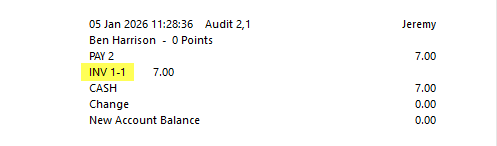
1. Identify the Original Audit Number
-
Locate the audit number of the incorrect payment.
-
This can be found via:
-
Journal History
-
Customer account history
- Write this audit number down, it will be referenced in every corrective step.
-
2. Perform a Refund Sale for the Incorrect Payment
-
Create a Refund Sale using an Open Stock Item for the exact value of the accidental payment.
-
Use the same tender type that was incorrectly used.
-
In the reference or notes field, record:
-
The original audit number
-
A brief reason (e.g. “Correction – wrong tender type”)
-
This reverses the original incorrect tender allocation.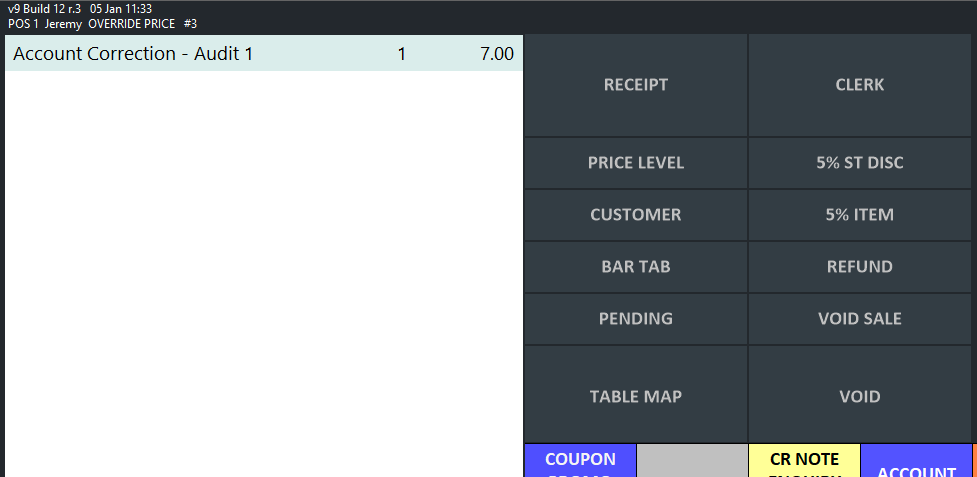
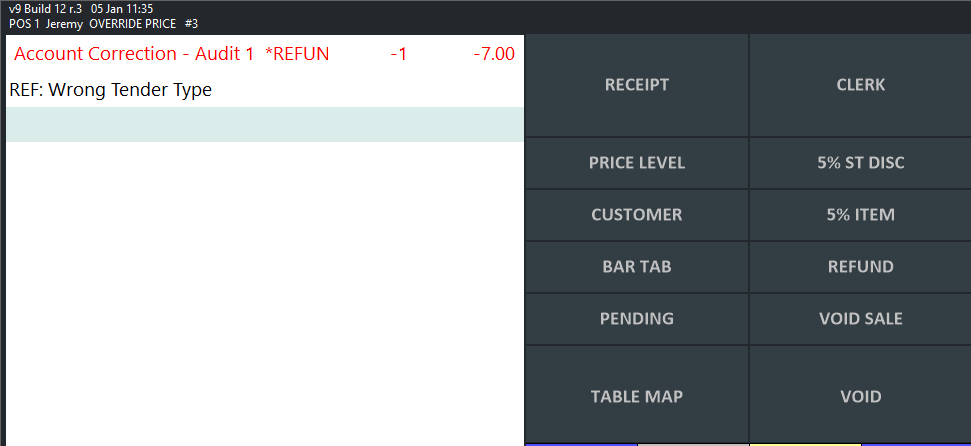
3. Create a New Sale to the Customer Account
-
Start a new sale
-
Add an Open Stock Item
-
Set the value to the required invoice amount
-
Tender the sale to the Customer Account
-
In the reference/notes field, include:
-
The original audit number
-
A note such as “Reallocation of payment”
-
This creates a new unpaid customer invoice.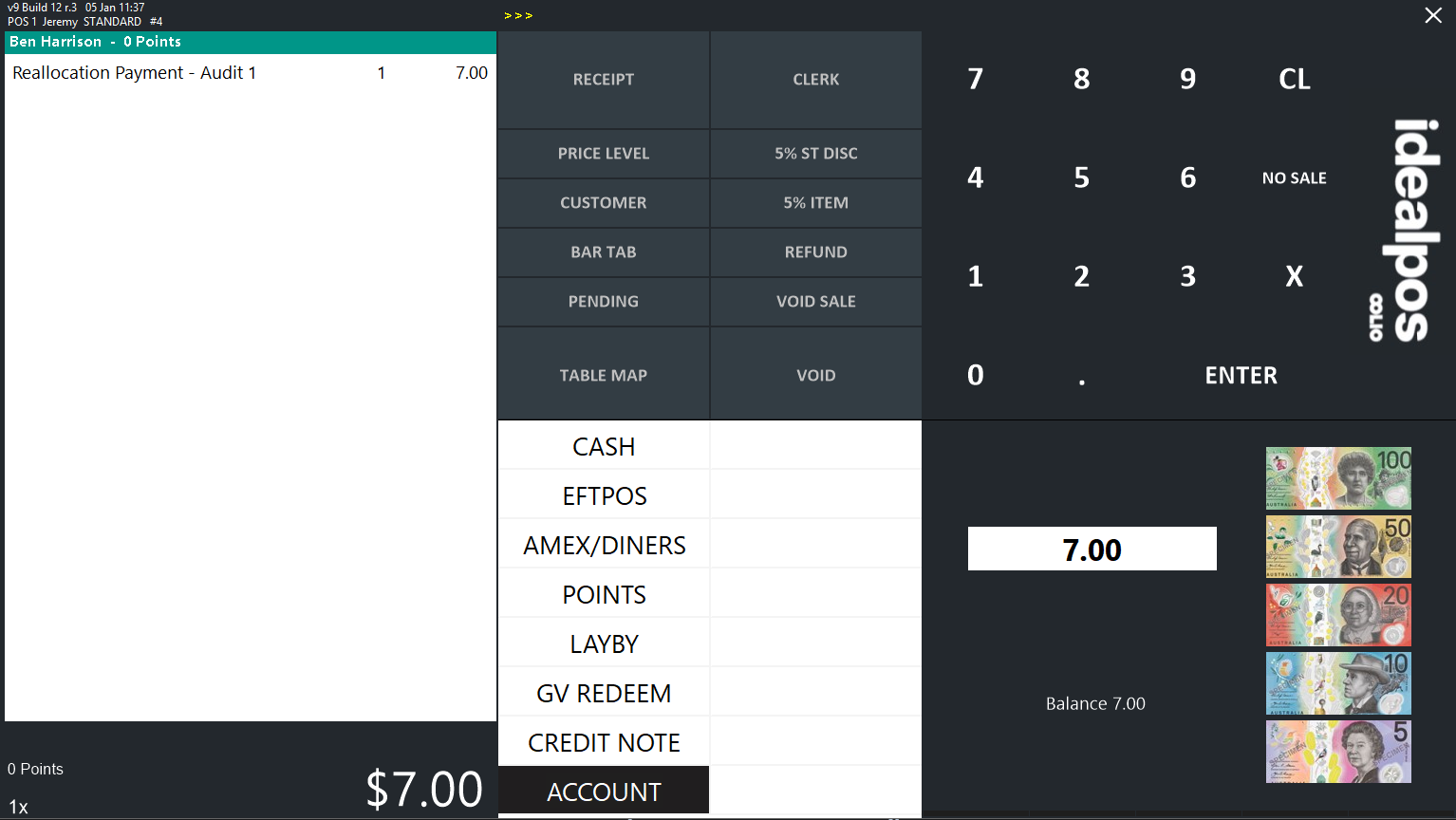
4. Pay Off the New Invoice Using the Correct Tender
-
Locate the newly created customer invoice
-
Pay it off using the correct tender type
-
In the payment reference/notes, record:
-
The original audit number
-
The payment is now correctly reflected against the proper tender.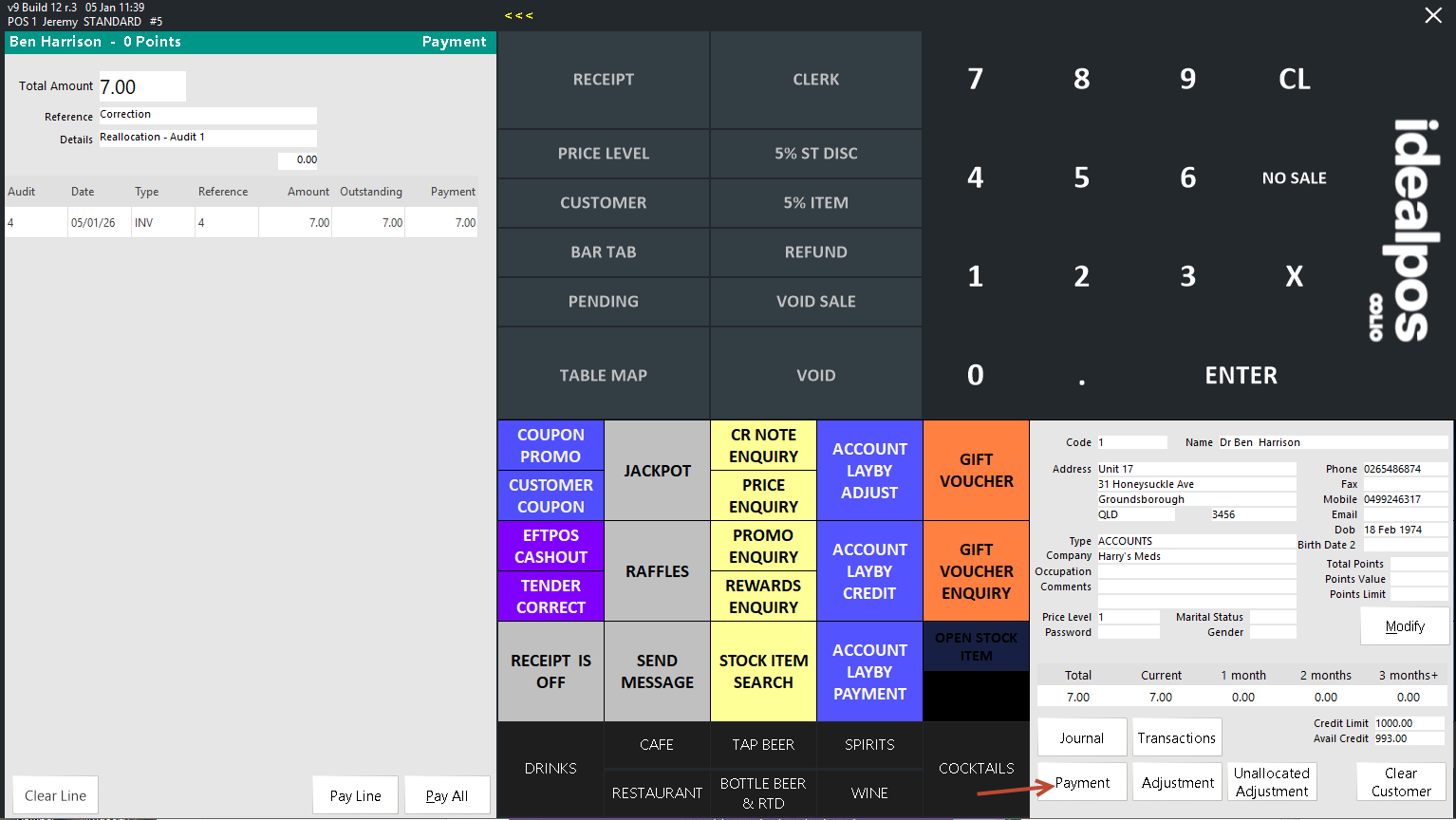
Result
After completing these steps:
-
The incorrect tender allocation is fully reversed
-
The customer account balance is correct
-
The payment is recorded against the correct tender
-
A complete and transparent audit trail is maintained
Best Practices
-
Always include audit numbers in references for financial corrections
-
If unsure, confirm tender expectations with the customer before reprocessing
-
Document the correction in internal notes for future reconciliation