Epson TM-U220B - Assigning static IP address
The easiest way is with the EpsonNet Config (for Windows OS)
Go to link below to download and run to install it.
https://c4b.epson-biz.com/modules/pos/index.php?page=single_soft&cid=5302&scat=43&pcat=3
First you need to make sure the printer is loaded with the paper and the ribbon print cartridge.
If you don't know the IP address of the Epson TM-U220B you can reset it by turning it off, then pressing the small hard reset pin hole found in the back of the unit (near the network port) while turning it on.
It's important not to disturb it by cutting out the power as it resets the unit. This will provide the printer with default IP of
192.168.192.168
On a computer connected to switch connected to it, it would be easier to set it's
IP address to 192.168.192.* (any available IP in that network such as 192.168.192.1)
subnet mask 255.255.255.0
default gateway 192.168.192.168
Then when you run the EpsonNet Config program.
This should detect the printer as long as the computer network adapter can access the same subnet.
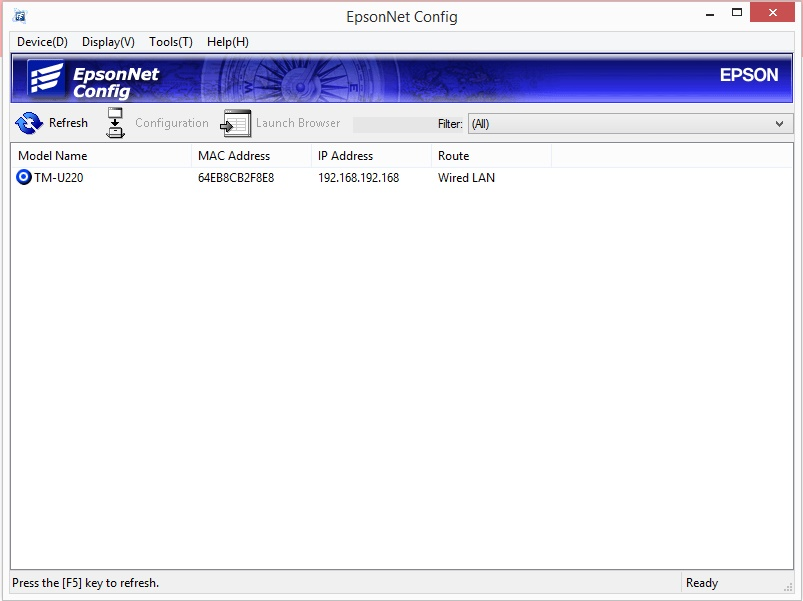
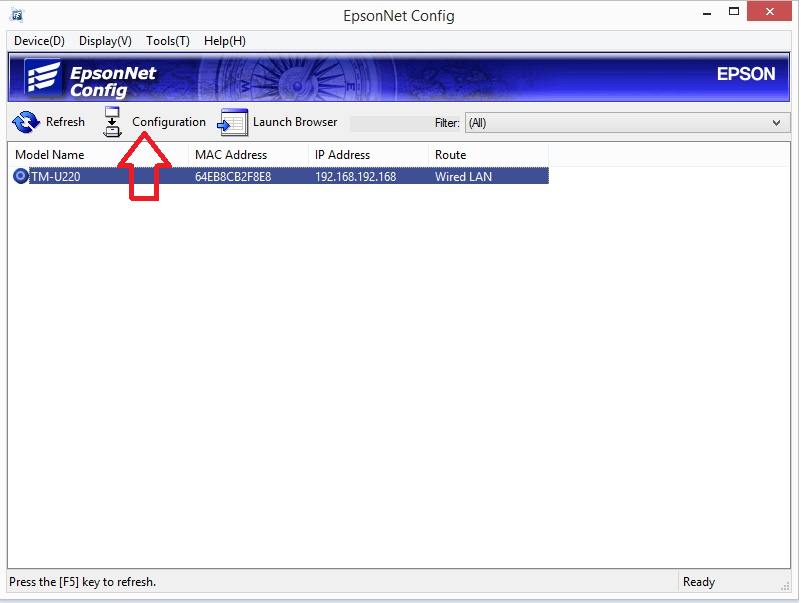
With the desired printer highlighted, click Configuration
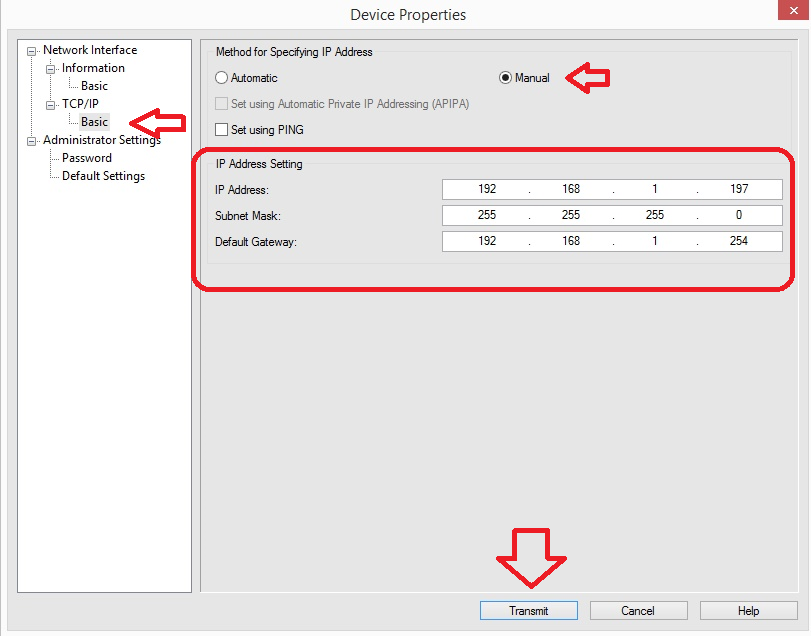
Select Basic on the left, ensure Manual is selected and key in ip address details you want the Epson TM-U220B printer to have and Click Transmit